Working Smarter with IRS Digital Tools & Transcripts: Mastering Online Access, Authorizations & Client Resolution

Working Smarter with IRS Digital Tools & Transcripts: Mastering Online Access, Authorizations & Client Resolution

Overview:

This course equips tax professionals with the practical skills needed to work more efficiently with the IRS using current IRS digital tools, online services, and tax transcripts. As part of its ongoing digital-first service strategy, the IRS continues to expand online account access, digital authorization capabilities, and electronic access to taxpayer information. Clients increasingly expect their tax advisors to navigate these systems efficiently to answer questions, resolve notices, and address post-filing issues.

Participants will learn how to access, interpret, and apply IRS online tools and transcripts to diagnose client issues and respond to questions more efficiently. The course covers IRS Secure Access, digital authorizations, Forms 2848 and 8821, and key transcript types and use cases. It also highlights practical strategies for incorporating these resources into everyday tax practice to reduce delays, improve accuracy, and provide more proactive client service.

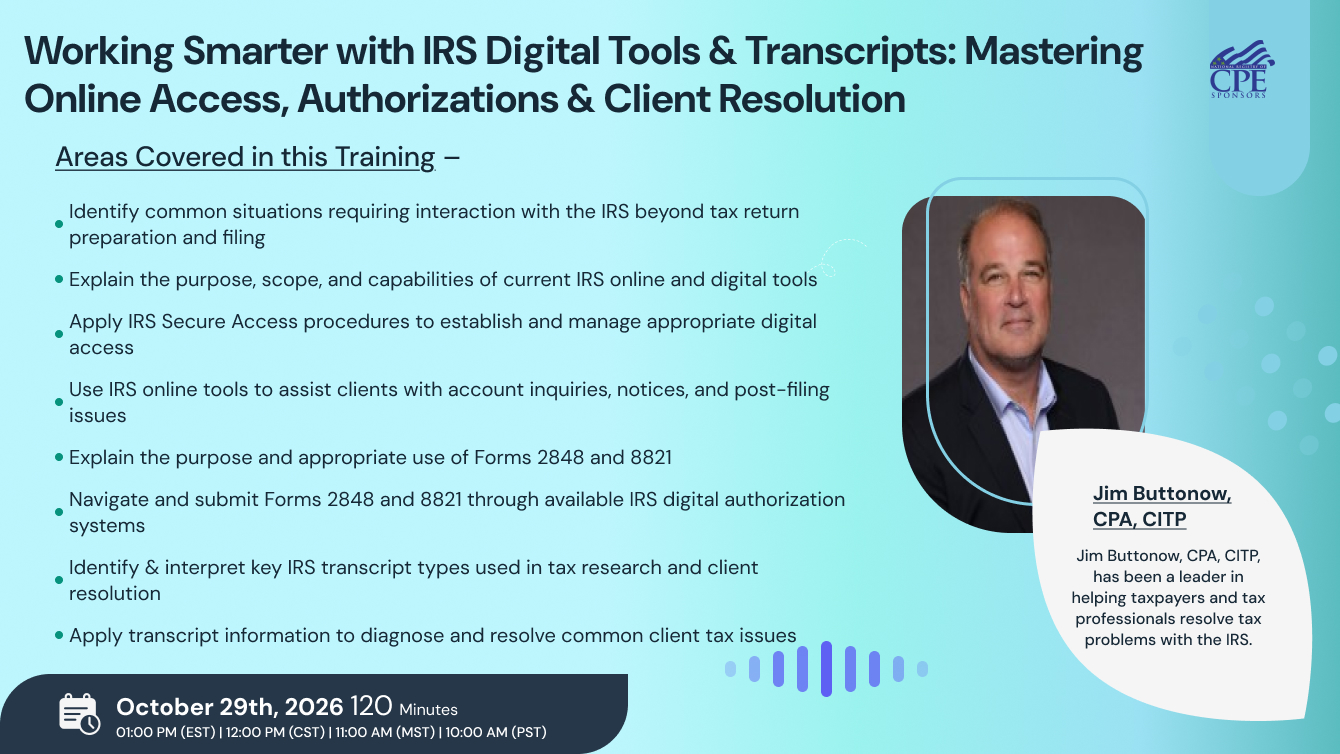
Areas Covered in this Training:

Upon completion of this course, participants will be able to:

· Identify common situations requiring interaction with the IRS beyond tax return preparation and filing
· Explain the purpose, scope, and capabilities of current IRS online and digital tools
· Apply IRS Secure Access procedures to establish and manage appropriate digital access
· Use IRS online tools to assist clients with account inquiries, notices, and post-filing issues
· Explain the purpose and appropriate use of Forms 2848 and 8821
· Navigate and submit Forms 2848 and 8821 through available IRS digital authorization systems
· Identify and interpret key IRS transcript types used in tax research and client resolution
· Apply transcript information to diagnose and resolve common client tax issues
· Incorporate IRS digital tools and transcript resources into an efficient firm workflow

Session Highlights:

· IRS Digital-First Service Strategy – Understanding the IRS's evolving approach to digital services and what it means for tax professionals
· IRS Secure Access & Digital Identity (SADI) – Establishing secure access and navigating IRS online systems
· IRS Online Tools for Tax Professionals – Key taxpayer and practitioner-facing tools and their practical applications
· Digital Authorizations: Forms 2848 & 8821 – Understanding, preparing, and submitting third-party authorizations electronically
· IRS Transcripts Explained – Key transcript types, what they contain, and when to use each
· Real-Time Access to Client IRS Transcripts – Using available digital access to obtain information more efficiently
· Transcript Research & Common Use Cases – Applying transcript data to investigate notices, account discrepancies, payments, filing issues, and other client questions
· Best Practices & Workflow Integration – Practical tips for reducing delays, improving accuracy, and incorporating IRS digital resources into everyday practice

Suggested Attendees:

· CPAs and Public Accountants
· Enrolled Agents (EAs)
· Tax Attorneys
· Tax Preparers and Tax Advisors
· Accounting and Tax Firm Owners/Partners
· Staff Accountants and Tax Associates
· Payroll and Tax Compliance Professionals
· Bookkeepers who assist with tax-related IRS matters
· Professionals responsible for IRS notices, transcripts, and client account resolution
· Tax professionals seeking to improve efficiency with IRS online services and digital tools

Jim Buttonow, CPA

Jim Buttonow, CPA

Jim Buttonow, CPA, CITP, has been a leader in helping taxpayers and tax professionals resolve tax problems with the IRS.
 
For 19 years, Jim worked at the IRS in various compliance enforcement positions. Since 2006, Jim has been in private practice and tax and accounting software development. Jim consulting practice focuses on the areas of tax controversy and tax administration. Jim led product development and marketing for a successful software company that developed tax problem software for tax professionals. This software is currently being used by thousands of tax professionals and businesses in the United States.
 
Jim has been an IRS partner in improving IRS operations and post-filing service to taxpayers. Jim served as chairperson of the IRS Electronic Tax Administration Advisory Committee (ETAAC) in 2015 and 2016 during which ETAAC played a central role in promoting the IRS digital strategy to develop transformative technology solutions to systemic challenges in tax administration. Jim also served as the North Carolina representative on the IRS’ Taxpayer Advocacy Panel (TAP) from 2020-2022.
 
Jim regularly speaks on areas of tax administration and problem solving to national associations and has testified before Congress in areas of tax administration. He has also published many articles in industry publications. In his articles, Jim focuses on delivering practical insights, advocating for IRS transparency and efficiency, and proposing innovative large-scale solutions for taxpayers and tax professionals.
 
Jim currently authors CCH’s Tax Problems and Solutions Handbook, a publication aimed at helping tax pros work more effectively in post-filing matters and resolving their clients’ most common tax problems


NASBA -

CPE Credits = 2.0

“In accordance with the standards of the National Registry of CPE Sponsors, CPE credits have been granted based on a 50 minute hour.”

Standeeagle is registered with the National Association of State Boards of Accountancy (NASBA) as a sponsor of continuing professional education on the National Registry of CPE Sponsors. State boards of accountancy have final authority on the acceptance of individual courses for CPE credit. Complaints regarding registered sponsors may be submitted to the National Registry of CPE Sponsors through its web site: www.nasbaregistry.org.
Sign up now on standeagle.io. Visit standeagle.io/webinars to discover a wide range of webinars from industry specialists. Tick on either ‘live webinar’ or ‘on-demand’, and simply click on ‘buy now’ to get enrolled.

You can refer Standeagle to anyone in your social circle. Explore your industry with your colleagues by getting them signed up on standeagle.io today!

Go for the topic of your keen interest on standeagle.io. Tick on ‘live webinar’ and get enrolled! Easy registration, transparent transaction.

You can request for an on-demand webinar that records the live webinar for you. After the webinar ends, you will have full access to the webinar’s recording. You can also explore Standeagle offline to order your webinar DVDs, flash drives and transcripts.

If you can’t attend the live webinar, simply go for the ‘on-demand webinar’ for the same price! Now, the live webinar recording will be saved in a cloud storage for you to access anytime from anywhere.

Standeagle offers both hard and soft copies of the webinars. It contains all the highlights as well as comprehensive descriptions of the webinar, so you never miss out a single detail.

After attending the live webinar, your certificate will be emailed to you. You can download it and add more charm to your professional score.

At the end of each webinar, you have the opportunity to interact with your industry experts, where you will get answers to all your queries.

Can’t attend the live webinar? Standeagle has got you covered! You can always switch to the on-demand webinar from your portal. You can also get your hands on the webinar’s DVD/flash drive and transcript. So order them now!

Standeagle brings a variety of options for offline learning. Order your DVDs, flash drives or transcripts now to have a lifetime access to Standeagle webinars. You can also go for on-demand recordings. Download and watch it anytime from anywhere in the world!
Working Smarter with IRS Digital Tools & Transcripts: Mastering Online Access, Authorizations & Client Resolution
0.00

Live Webinar


Recorded Options


Value Packs


0.00

ACCREDITATIONS